
403 Forbidden Error: Why the Internet Is Blocking You and How to Fix It

San Francisco, California, Nishant Shrivastava: You click a link. You wait. Then you see it: “Just a moment…” followed by a blank wall. That tiny pause, that spinning wheel, can feel like a door slamming in your face. For millions of people every day, this is the new normal. The 403 Forbidden error has become one of the most common roadblocks on the internet, and it’s not going away anytime soon. But what’s really happening behind that screen? And why does it feel like the web is locking you out?
Let’s start with the basics. A 403 error is a message from a server that says, “I see what you want, but I won’t give it to you.” Unlike a 404 error, which means the page doesn’t exist, a 403 means the page is there, but something in the system decided you shouldn’t have it. That “something” could be a simple permission setting, or it could be a sophisticated security system analyzing your every move.
Think of it like a nightclub. You have the address, you’re dressed appropriately, but the bouncer decides you don’t fit the vibe. In the digital world, that bouncer is often a Web Application Firewall (WAF), a bot detection engine, or a rate limiting tool. These systems check your IP address, how fast you click, what browser you use, and even where you’re located. If anything looks unusual, the door stays shut.
Why are these systems becoming so common? Because the internet is under constant attack. In 2023, the Cybersecurity & Infrastructure Security Agency reported that over 68% of cyber incidents involved unauthorized access attempts through web applications. Companies are investing heavily in tools like Cloudflare, Akamai, and AWS Shield to filter out malicious bots, scrapers, and brute force attackers. These tools process billions of requests daily, and they’re good at their job. But they’re not perfect. Sometimes, a legitimate user like you gets caught in the net.
Geography plays a role too. Many websites restrict access based on your location. Streaming services do it to comply with licensing agreements. Banks do it to reduce fraud. Governments do it for legal reasons. If you’re traveling or working remotely, you might find yourself blocked from services you normally use. It’s not personal, but it can feel that way.
Then there’s the rise of anti bot checks. You’ve probably seen them: “Select all images with traffic lights” or “Click here to prove you’re human.” These tests, powered by tools like reCAPTCHA and hCaptcha, analyze your mouse movements, your typing speed, and even how you scroll. If you fail the test, you might get a 403 error with no explanation. The lack of feedback is frustrating, especially when the test itself feels invisible or confusing.
This shift toward stricter access controls is more than a technical trend. It’s reshaping how we think about digital rights. As more essential services move online, from healthcare portals to government forms, being blocked by an opaque security system becomes a matter of equity. A 2022 study by the International Telecommunication Union found that nearly 3 billion people remain offline, often due to barriers like unreliable connectivity, device limitations, and exclusionary policies. When legitimate users are locked out, the digital divide grows wider.
Artificial intelligence is adding another layer of complexity. AI driven bots can now mimic human behavior so closely that traditional detection methods struggle to keep up. In response, security systems tighten their rules, creating a cycle of escalating restrictions. The result is more frequent blocks, slower load times, and a less enjoyable experience for everyone.
But there’s good news. Industry leaders are working on solutions that balance security with accessibility. The W3C’s Privacy Preserving Access Control Working Group is developing standards to make these systems more transparent. Emerging technologies like decentralized identity and zero knowledge proofs offer ways to verify who you are without exposing personal data or requiring intrusive checks.
If you’re facing a 403 error right now, here are a few things to try. Clear your browser cache and cookies. Disable ad blockers or VPNs. Try a different device or network. Check if the site is experiencing downtime. If the problem persists, contact the website administrator and share the Request ID from the error page. That unique identifier helps them diagnose the issue faster.
The 403 Forbidden error is not just a technical glitch. It’s a sign of how the internet is evolving into a more guarded space. Understanding why it happens gives you the power to navigate it more smoothly. In a world where information is access, and access is opportunity, learning to work with these barriers is a skill worth having. The future of the web depends on building defenses that are not only strong, but also fair and inclusive.
Related in Finance

Finance
68% of Americans Back It: Trump Confirms High-Level Talks with Iran Resume July 2026
What if the longest running geopolitical standoff of our era is finally ready for a rewrite? On July 10, 2026, former President Donald Trump stepped before cameras in New York and dropped a statement that caught much of the world off guard: the United States has agreed to resume…
Read More...
Finance
How SK Hynix Just Raised $26.5 Billion in the U.S. – What It Means for the Future of Chips
On a crisp July morning in Manhattan, something historic happened on Wall Street. SK Hynix, the South Korean memory chip giant, stepped onto the New York Stock Exchange and walked away with $26.5 billion. That’s not just a lot of money. It’s the largest IPO by a non-U.S. company…
Read More...
Finance
China Factory Prices Hit 2-Year High: What the Iran Crisis Means for Your Supply Chain
Have you noticed the price of steel or plastic creeping up lately? There’s a reason for that, and it’s not just about demand. China’s factory gate prices just jumped to their highest level in over a year, and the culprit isn’t a domestic slowdown—it’s a geopolitical storm brewin…
Read More...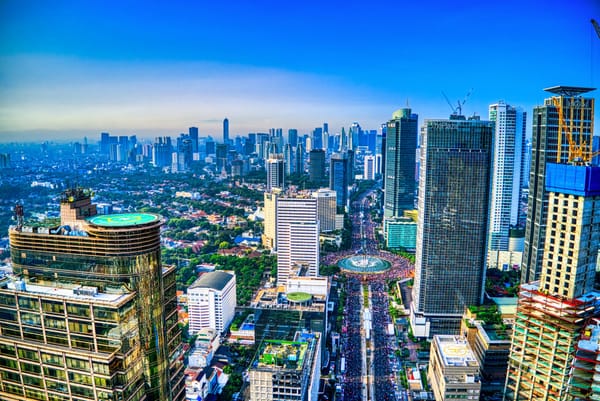
Finance
Is Indonesia’s Investment-Grade Status at Risk? S&P Dow Jones Issues Critical Warning
What happens when one of Southeast Asia’s most promising economies faces a potential credit downgrade? That’s the question investors and policymakers are asking after S&P Dow Jones Indices joined Moody’s and Fitch in flagging risks to Indonesia’s sovereign credit rating. The war…
Read More...
Finance
FIFA Red Card Scandal 2026: How a Rigged Decision in Brazil vs. Argentina Exposed $80 Billion Sports Integrity Crisis
On July 5, 2026, during a World Cup qualifier between Brazil and Argentina, something happened that football fans will never forget. Argentina’s star midfielder Lucas Martínez was shown a red card for a tackle that, on replay, looked routine. But what looked like a referee’s bad…
Read More...
Finance
What Really Happened When July 4 Fireworks Were Canceled in D.C. Amid Deadly Storms? 150,000 Evacuated in Historic Emergency
Picture this: you are standing on the National Mall, flags waving, kids on shoulders, ready for the biggest fireworks show of the year. Then, within minutes, the sky turns an angry gray, wind howls past 70 miles per hour, and sirens start blaring. That is exactly what happened o…
Read More...
Finance
What Happens When a 249th Independence Day Celebration Meets a 105°F Heat Dome? Here’s What You Need to Know
Picture this: It’s July 4, 2026, and you’re standing on the National Mall, surrounded by tens of thousands of fellow Americans, flags waving, and the air thick with anticipation. But there’s something else in the air—a record-breaking heatwave that has pushed temperatures past 1…
Read More...
Finance
Canada’s 2,000-Kilometer Pipeline to Asia: How a New Energy Corridor Could Reshape Global Oil Markets
Imagine a pipeline so long it could stretch from Paris to Moscow. Now imagine it carrying Canadian oil not south to the United States, but west to the Pacific Ocean and then on to Asia. That is exactly what Canada is planning, and it could change the way the world thinks about e…
Read More...
Finance
48% Male Users and a $3B Valuation: How RedNote Is Reshaping China’s Creator Economy Ahead of Its 2026 IPO
What happens when a platform once known as China’s Instagram decides to bet big on men? You get RedNote, a photo sharing and lifestyle app that’s quietly rewriting the rules of digital creation. And now, with an initial public offering on the horizon, it’s asking a bigger questi…
Read More...
Finance
White House Ends Federal Ban on Anthropic AI: What This Means for Government Services by 2027
On July 1, 2026, the White House made a decision that changes the trajectory of artificial intelligence in the United States government. The nationwide ban on Anthropic’s advanced AI models within federal agencies has been officially lifted. This is not a small adjustment. It is…
Read More...